How to setup your languages

Press the 'Settings' button and open the ‘Translation Languages’ tab.
Select your Input Languages Set (the languages you're learning) and your Output Languages Set (languages you already know to some extent). You can select up to 10 languages in each set.
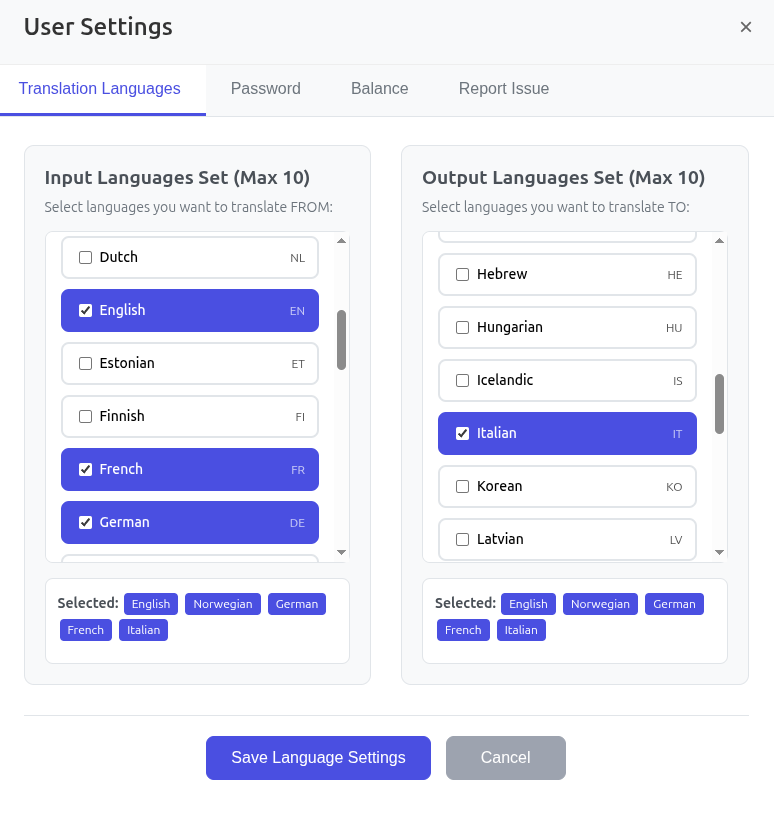
We recommend selecting the same set of languages for both categories. This will allow you to translate back and forth between your selections, enabling a true polyglot experience.
Press the "Save Language Settings" button to apply your choices.