How to translate


Select the source language (the language you learn) at the top.
Then check up to 4 target languages for your translation. Paste your text (up to 600 characters) into the input text area and press the Translate button.
'Paste a text' is not the only option, but let's stick to this for a moment.
(other options are: pdf or epub upload, chrome plugin text upload from web)
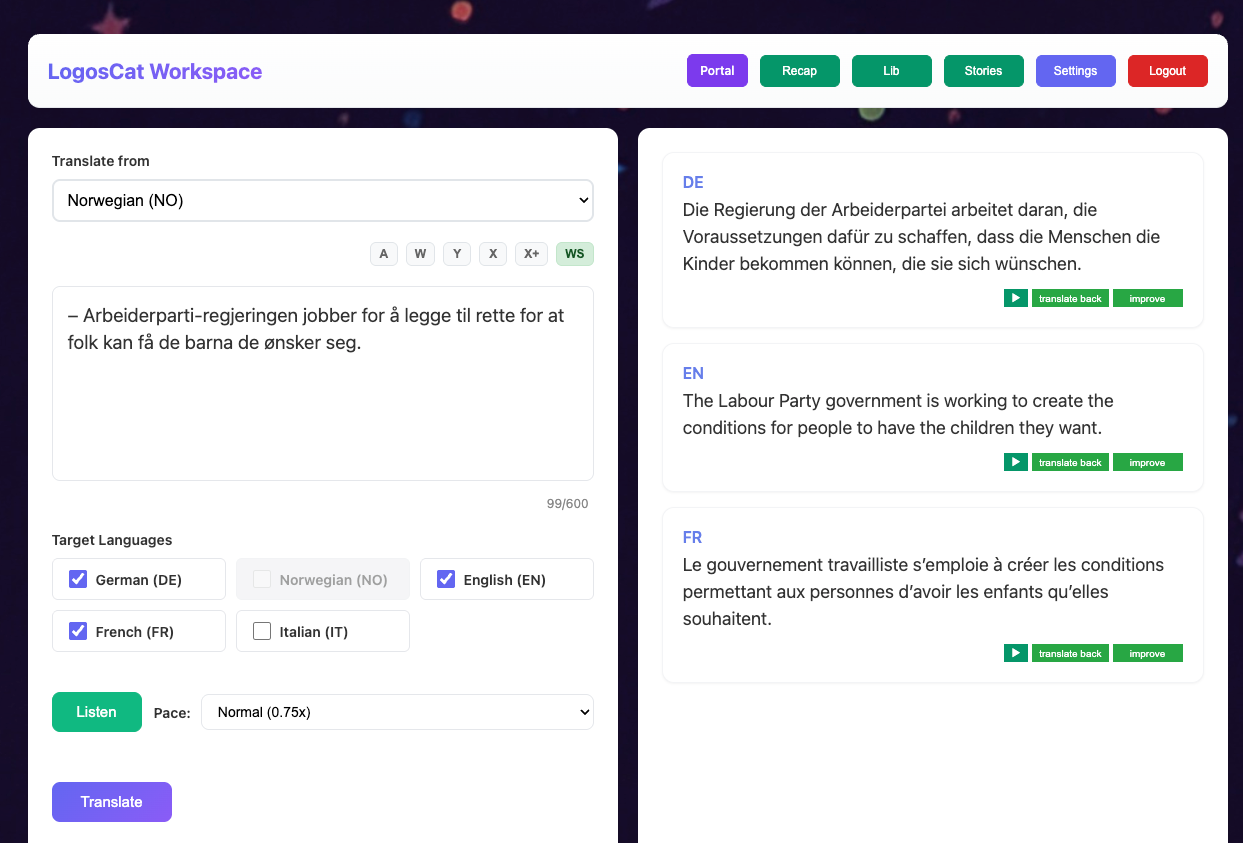
Cross-language translation into multiple languages simultaneously is LogosCat's signature feature for polyglots. By comparing how the same text renders across different languages you already know, you develop deeper linguistic intuition and discover patterns that monolingual learners never see.
A single translation looks like this.
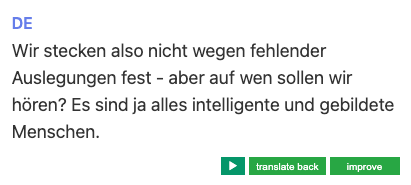
Buttons: Improve, translate back, play
‘Improve' button — provides literal and improved versions of the translation to help you better grasp the true meaning of the text
'Translate back' — allows you to quickly reverse the translation, which may provide additional insights
The ▶ play button allows you to hear the translated text — after all, you're learning multiple languages...